
Enable a plugin globally
You have to log in as a server administrator to be able to load and enable a plugin globally.
Add the plugin to be configured globally to the load list
The ClamAV class name is ‘de.softpro.cirrus.plugins.document_scan.ScanClamAV’.
Open the Administration Center, log in as a server administrator and click the System settings link.
Click the
General section below the
Plugins category and change
the
Plugin load list setting by
adding the class name to the comma delimited list:
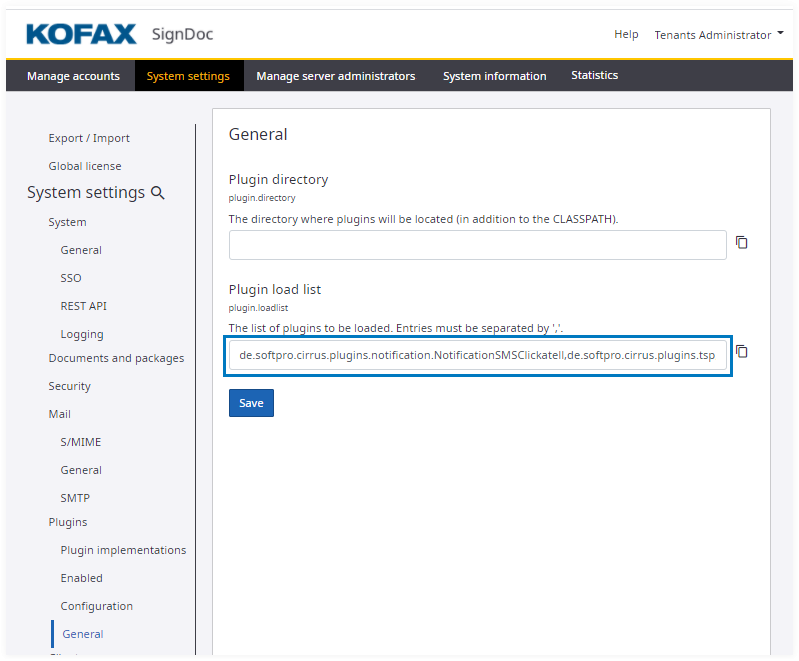
After adding the name to the list, save the setting. Give the application 10-30 seconds to reload the plugin list. You will have to refresh the Administration Center to show the new settings.
Enable and configure the plugin globally
After you refresh the client, it displays two new settings:
- Plugin enabled: ScanClamAV in the Enabled section
- plugin.cfg.ScanClamAV.url in the Configuration section
Slide the
Plugin enabled: ScanClamAV
setting to the right to activate it:
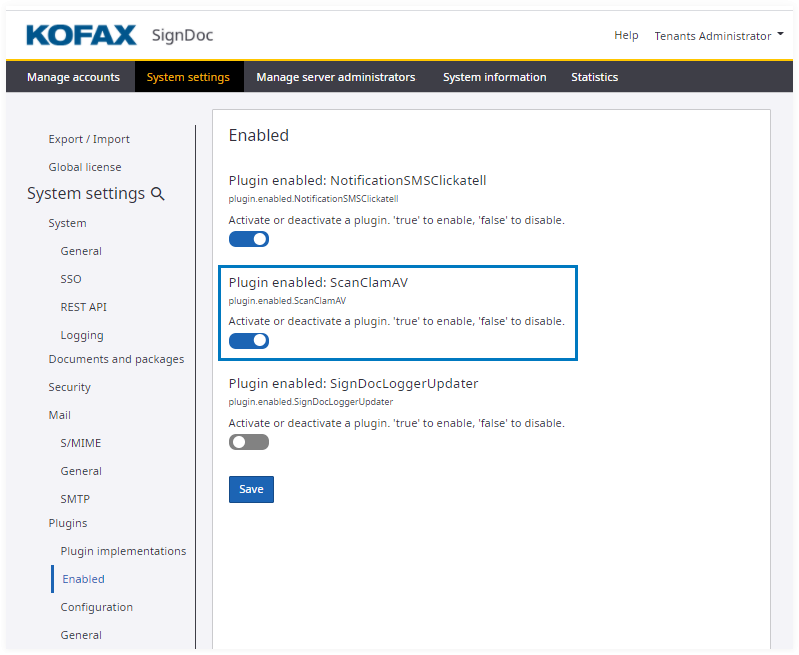
Set the URL to point to the URL of the ClamAV server you are running by
editing the URL setting in the
Configuration section:
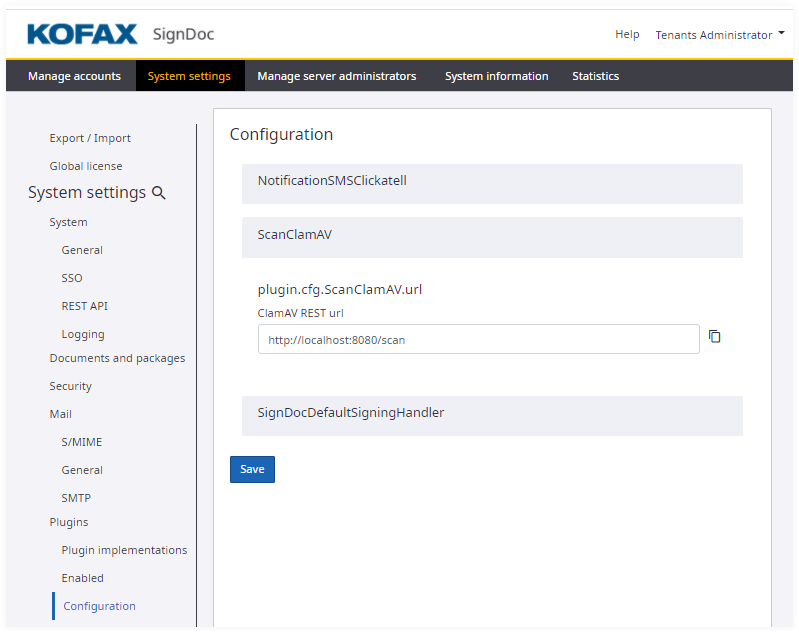
Save the settings.
The plugins are reloaded and an instance of the ClamAV document scanning plugin should now be running, and available for all accounts on the system.